Capture it your way
Write a note or transcribe your voice while the thought is still there. Mobile transcription on iPhone turns spoken thoughts into text you can return to.
Write, speak or import a document. Turn speech into text with voice transcription, including mobile transcription on iPhone. Listen to your words aloud, then continue on another device.
Inside Sermo Voice ↓Capture a personal thought
App in development. Actual interface with demonstration content.
Notes, documents, transcription and natural text-to-speech. Capture spoken thoughts on your iPhone, keep the original words and continue across devices.
Write a note or transcribe your voice while the thought is still there. Mobile transcription on iPhone turns spoken thoughts into text you can return to.
Turn a document into natural offline listening. Change the pace and follow the original words.
Continue with the same library and listening position on another device. Pick up where you left off.
Documents, spoken aloud. Notes, kept close. Thinking that goes with you.
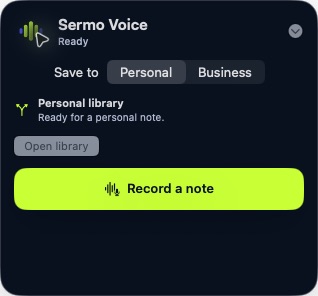
Open the personal recording controls and choose how the thought begins.
App in development · Actual interface · Demonstration content · Move over the screen to look closer. Select it to enlarge. Keyboard: use arrow keys on the screen.Tap the screen to enlarge. Use the chapters to explore another view.
Your documents and listening position stay connected across devices. Pick up the thought where you left it.
See Sermo Voice in a guided walkthrough.
We’ll help you understand the fit and arrange access.